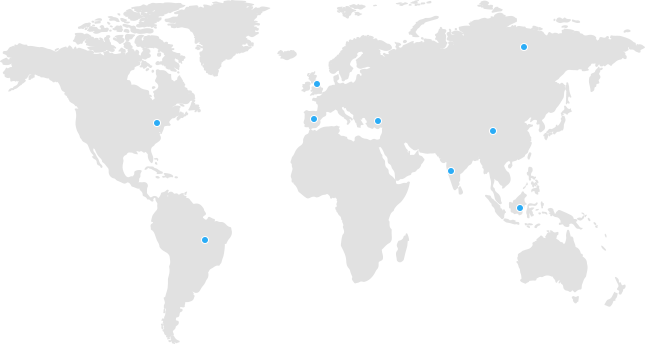


Server location is important for web hosting because it determines how far data must travel between your host’s data center and your visitor’s device. A server placed closer to your audience reduces latency, improves Time to First Byte (TTFB), and helps your website pass Core Web Vitals, all of which support faster load times and stronger SEO rankings. For example, a server 10,000 km away can add 100–200ms of delay before a page even starts loading, while a well-placed server backed by a content delivery network (CDN) and energy-efficient, green web hosting infrastructure keeps your site fast, reliable, and search-friendly.
If you have ever wondered why two websites with similar content and design load at completely different speeds, server location is often the hidden reason. At Nexus Technologies, we manage web hosting, WordPress performance, and SEO for e-commerce stores, government portals, financial platforms, and NGOs, and server placement is one of the first things we check during every technical SEO audit. This guide breaks down exactly how server location affects your web hosting, your SEO, and your visitors, and how to choose the right one.
- CDN stores static content on global servers for faster delivery.
- Reduces website load time by up to 70%.
- Improves Core Web Vitals and SEO performance.
- Lowers server load and handles traffic spikes better.
- Cloudflare setup is simple and works with most hosting.
- Faster websites improve user experience and reduce bounce rates.
What Is Server Location in Web Hosting?
Server location refers to the physical city and country where your web host’s data center is installed, the actual building where your website’s files, databases, and applications live. Every time someone visits your site, their browser sends a request that has to physically travel to that data center and back before a single pixel renders.
This is different from a content delivery network (CDN), which only caches static files (images, CSS, JavaScript) at edge locations closer to visitors. Your origin server, the one running your database, WordPress admin, and dynamic pages, still lives in one physical location, and that location shapes your baseline performance.
Why Server Location Matters for Website Performance
1. Latency and Page Load Speed
Data cannot travel faster than the speed of light through fiber-optic cable, which moves at roughly 200,000 km/s. As a rule of thumb, every 1,000 km between your server and a visitor adds approximately 5–10ms of network latency. That may look small on paper, but a dynamic WordPress or WooCommerce page can trigger dozens of server round trips, and those milliseconds compound quickly into seconds of delay.
2. Time to First Byte (TTFB)
TTFB measures how long it takes for the first byte of data to reach a visitor’s browser after a request is made. A server under 200ms TTFB is considered excellent, and under 400ms is acceptable. Servers located far from your audience, or on overloaded shared hosting, routinely push TTFB well past that, which slows down everything that follows on the page.
3. Core Web Vitals
Google measures three Core Web Vitals as part of its page experience evaluation:
Metric | What It Measures | How Server Location Affects It |
LCP (Largest Contentful Paint) | Time until the largest visible element loads | Most affected, distant servers delay content from starting to load at all |
INP (Interaction to Next Paint) | Responsiveness to user interaction | Slower server responses delay script execution and interactivity |
CLS (Cumulative Layout Shift) | Visual stability while loading | Mostly a front-end/design issue, minimally affected by server distance |
Core Web Vitals act as a tie-breaker in competitive search results. When several pages offer similar content quality, the faster page, often the one with a better-placed server, tends to win the ranking edge.
Server Location and SEO Rankings
Geographic Signal for Search Engines
Server IP location is not the strongest ranking factor, but it does act as a minor geo-targeting signal. If your website targets users in Pakistan, the UK, or the US and uses a generic .com domain without hreflang tags, a server hosted in that target country reinforces relevance for local search queries. This signal matters most when combined with other geo-targeting tools such as ccTLDs, hreflang tags, and Google Search Console’s international targeting settings.
Crawl Efficiency and Crawl Budget
Search engine bots crawl from data centers around the world, and a server that responds quickly gets crawled more consistently and in greater depth. Slow TTFB can reduce how many pages Googlebot processes in a single crawl session, a real concern for larger sites with thousands of product or blog pages, and a smaller one for sites under a few thousand pages.
Conversions Are on the Line Too
Speed is not only an SEO metric. A widely cited finding from Google’s own research shows that even a 100-millisecond delay in load time can measurably reduce conversion rates. In other words, the server location decision that helps your rankings is the same one that helps your revenue.
Server Location vs. CDN: What's the Difference?
Factor | Origin Server Location | Content Delivery Network (CDN) |
What it serves | Dynamic content: database queries, checkout, admin panel | Static content: images, CSS, JS, fonts |
Best for | Regional businesses, WordPress/WooCommerce, e-commerce checkout | Global audiences needing fast static asset delivery |
Limitation | Doesn’t help visitors far from that single location | Doesn’t speed up dynamic, database-driven pages |
Ideal setup | Server placed near your primary market | Combined with a well-placed origin server |
The best-performing websites don’t choose one or the other, they pair a correctly located origin server with a CDN, so both static and dynamic content load quickly worldwide.
Green Web Hosting and Server Location: A Sustainable Choice
Server location decisions increasingly overlap with sustainability. Many hosting providers now operate data centers powered partly or fully by renewable energy, and choosing green web hosting doesn’t mean sacrificing speed. In fact, several energy-efficient data center regions (such as parts of Northern Europe) benefit from naturally cool climates that reduce cooling costs and improve hardware reliability, which can translate into more stable uptime and consistent response times.
How to Choose the Right Server Location for Your Website
Step 1: Identify Your Target Audience
Check your analytics. If most of your visitors come from Pakistan, hosting in a data center serving South Asia (or the nearest reliable region) will outperform a distant one. If your audience is split across regions, this points toward a CDN-first strategy layered on top of a solid origin server.
Step 2: Check Data Center Options Before You Buy
When evaluating a web host, ask specifically which data center regions they offer, not just which country the company is headquartered in. A host can be based in one country while running servers in a completely different region.
Step 3: Combine Server Location With a CDN
For any site with an international audience, pairing your origin server with a CDN closes most of the remaining performance gap for static assets, while your server location continues to determine how fast dynamic pages and checkout flows respond.
Step 4: Test Before You Commit
Use free tools to check real response times from multiple global locations before signing a hosting contract, rather than relying on marketing claims alone.
Nexus Technologies: Hosting Guidance Backed by Real Experience
At Nexus Technologies, we don’t just write about hosting, we manage it. Our team works daily on WordPress performance, technical SEO, and hosting configuration for clients ranging from e-commerce stores to institutional and government platforms. When we recommend a server location or hosting setup, it comes from hands-on troubleshooting of real TTFB, Core Web Vitals, and crawl behavior across live client sites, not just theory.
If you’re unsure whether your current hosting setup is holding back your rankings, our team can review your server location, TTFB, and Core Web Vitals and recommend the right fix, whether that means a data center change, a CDN layer, or a full hosting migration.
FAQs
Does server location really affect SEO rankings?
Yes, but indirectly. Server location is not a direct ranking factor by itself, it influences page speed and Core Web Vitals, which Google does use as part of its page experience evaluation, especially as a tie-breaker between pages of similar quality.
How much does server distance affect page load time?
As a general estimate, every 1,000 km of distance between a server and a visitor adds roughly 5–10ms of network latency, and a server 10,000 km away can add 100–200ms before content even starts loading.
Is a CDN enough, or do I still need to worry about server location?
A CDN only speeds up static files like images and CSS. Dynamic content, database queries, shopping carts, checkout, and WordPress admin actions, still depends on your origin server’s physical location, so both matter together.
What is a good TTFB for web hosting?
Under 200ms is considered excellent, and under 400ms is generally acceptable. Anything higher usually points to a server that’s too far from your audience, overloaded, or under-resourced.
Does green web hosting affect server location choices?
Yes. Green web hosting providers often operate data centers in specific regions chosen for renewable energy access or natural cooling efficiency, so it’s worth confirming that a provider’s sustainable data center is also genuinely close to your target audience.
Should a small local business worry about server location?
Yes, arguably more than larger sites. Local and regional businesses benefit the most from hosting close to their actual customer base, since it reinforces both speed and local search relevance. See our guide for small local business owners choosing their first hosting plan.