
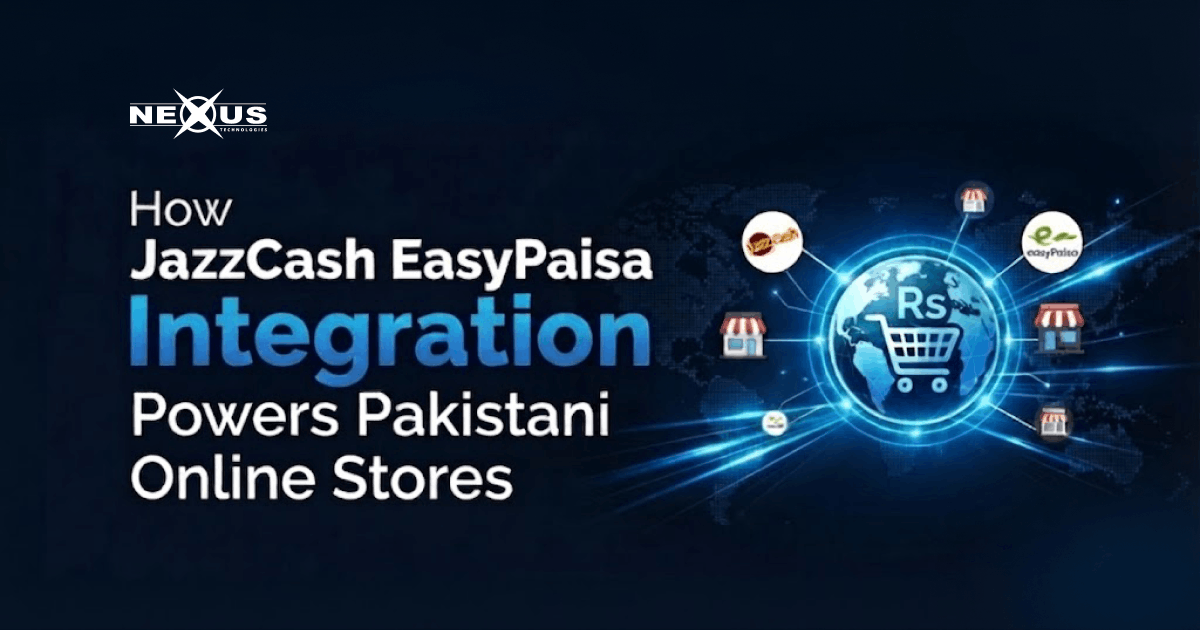
If you’re building or running an online store in Pakistan, jazzcash easypaisa integration isn’t a nice-to-have anymore, it’s the checkout option most of your customers actively look for. Cards and bank transfers still have a place, but mobile wallet checkout now settles the majority of everyday digital purchases in the country, and a store that skips it quietly loses sales at the very last step of the funnel.
This guide covers why mobile wallets matter for Pakistani buyers, exactly how to set up JazzCash and EasyPaisa checkout on a WooCommerce or custom-built store, the integration mistakes that trip up most first-time merchants, and how the right hosting and development partner turns this from a technical headache into a same-week rollout.
- Offer both JazzCash and EasyPaisa to reduce cart abandonment and increase conversions.
- Use official plugins or APIs for a secure and reliable payment integration.
- Always test in sandbox mode before accepting live customer payments.
- Configure callbacks and PKR settings correctly to avoid payment failures.
- Reliable hosting ensures payment confirmations and checkouts work smoothly.
- Mobile wallet checkout is now an essential feature for Pakistani e-commerce stores.
Why Mobile Wallets Matter for Pakistani Buyers
Pakistan’s digital payments landscape is wallet-first. For most shoppers, a JazzCash or EasyPaisa account is the payment method they already use daily for mobile top-ups, bill payments, and sending money to family, long before they ever reach your checkout page. When that option is missing, a large share of visitors don’t switch to a card or bank transfer; they simply abandon the cart.
This matters more for small and mid-sized e-commerce Pakistan stores than for global brands, because local buyers often don’t have (or don’t want to use) an international card online. A local checkout option that mirrors how people already pay closes that trust gap instantly.
- Faster checkout: customers approve payment from an app they already trust, with no card details to type.
- Higher conversion: removing a payment-method mismatch is one of the cheapest conversion-rate fixes available to a Pakistani store.
- Lower cart abandonment: cash-on-delivery is still common, but it ties up cash flow and increases return/refusal rates, a digital wallet integration gives customers a prepaid alternative.
- Built-in reach: JazzCash and EasyPaisa between them cover tens of millions of active mobile wallet users across urban and rural Pakistan.
In short: if your store’s growth plan includes Pakistani customers, a Pakistan payment gateway strategy that includes both major wallets isn’t optional groundwork — it’s revenue sitting on the table.
Setting Up JazzCash and EasyPaisa Checkout
The process is similar for both wallets, and most stores end up integrating them side by side rather than choosing one. Here’s the sequence that works for the vast majority of WooCommerce Pakistan payments setups, and it applies just as well to a custom-built store.
1. Register as a merchant with both providers
Sign up separately through the JazzCash Online Payment Gateway portal and the EasyPaisa merchant onboarding page. Each requires basic business documentation (CNIC for sole proprietors, or NTN and incorporation documents for registered companies) and a linked settlement bank account. Approval typically takes a few business days once documents are verified.
2. Choose your integration method
For WooCommerce stores, both providers publish official plugins that handle the checkout redirect and payment confirmation without custom code. For a custom-built store, you’ll integrate directly against each provider’s REST API using the merchant credentials issued at sign-up. The WooCommerce payment gateway documentation is a useful reference for how any gateway plugin should behave inside a standard checkout flow.
3. Install, configure, and connect your credentials
Add the plugin (or your custom gateway module), then enter your Merchant ID, password, and hash key exactly as issued — a single mismatched character in the hash key is the most common reason a store’s first transaction fails. Set your callback/webhook URL in the provider’s merchant dashboard so payment confirmations reach your store automatically.
4. Test thoroughly in sandbox mode
Both JazzCash and EasyPaisa provide a sandbox environment with test credentials before you go live. Run a full test purchase end to end — including a deliberately failed payment — to confirm your store handles success, failure, and pending states correctly, not just the happy path.
5. Go live and reconcile your first settlements
Switch your credentials to production, place one small real transaction to confirm funds settle to your linked bank account as expected, then monitor your merchant dashboard for the first week to make sure order statuses in your store match settlement records.
Common Integration Issues (and How to Fix Them)
- Sandbox and production credentials mixed up — the single most common cause of a checkout that ‘looks connected’ but fails every transaction. Double-check which environment each key belongs to before going live.
- Callback URL not whitelisted — if your store’s confirmation endpoint isn’t registered in the merchant dashboard, orders will show as pending even after the customer has paid.
- Currency mismatch, JazzCash and EasyPaisa process in PKR only; a store still set to USD or another currency at checkout will reject the transaction before it reaches the gateway.
- Mobile-only redirect breaking on desktop — some integrations assume the customer is completing payment from the app; test the flow on both desktop browsers and mobile to catch redirect issues early.
- Delayed settlement reconciliation, settlement timing differs slightly between the two wallets, so build your order-fulfilment process around confirmation status, not around assuming same-day settlement.
Most of these issues surface in the first week after launch, which is exactly why the testing step above shouldn’t be skipped, even under pressure to launch quickly.
Where Solid Hosting and Development Fit In
A payment integration is only as reliable as the store it’s connected to. Checkout redirects and webhook callbacks need consistent uptime and fast response times, or you’ll see payments confirmed by the wallet provider but not reflected in your store. a direct hit to customer trust. This is where Nexus business hosting earns its keep: it’s built for the always-on, callback-sensitive traffic that payment gateways generate, so confirmation requests aren’t dropped during traffic spikes.
If you’re setting up JazzCash and EasyPaisa checkout on a new store, or migrating an existing one to support both wallets properly, Nexus’s e-commerce website development team handles the WooCommerce, Shopify, or custom build alongside the payment plumbing, so the hosting, the store, and the checkout are configured to work together from day one rather than patched together afterward.
Related reading: choosing the right platform for your e-commerce store and how custom web solutions improve website performance
FAQs
Do I need both JazzCash and EasyPaisa, or is one enough?
Most Pakistani stores integrate both, since customer preference splits between the two wallets by region and habit. Supporting only one means turning away a meaningful share of wallet-first shoppers at checkout.
Is JazzCash EasyPaisa integration free?
Both providers charge a per-transaction fee rather than a setup fee, and neither typically charges monthly account fees for standard merchants. Confirm current rates directly with each provider, since fee structures are updated periodically.
Can WooCommerce accept JazzCash and EasyPaisa directly?
Yes. Both providers publish official WooCommerce plugins that plug into the standard checkout flow, so no custom payment code is required for a typical store.
How long does JazzCash EasyPaisa integration take?
For a WooCommerce store with merchant accounts already approved, plugin setup and sandbox testing usually take one to three business days. Merchant approval itself is the longer step and can take several business days depending on document verification.
Is mobile wallet integration secure for Pakistani e-commerce?
Yes, when implemented correctly. Both gateways use redirect-based hosted checkout, meaning sensitive payment credentials are entered on the provider’s secured page rather than stored on your server, which also reduces your PCI compliance burden.
Do JazzCash and EasyPaisa support international customers?
Both are built around Pakistani bank accounts and PKR transactions, so they serve local buyers rather than international ones. Stores selling globally typically pair a wallet integration with a separate card gateway for overseas customers.
Conclusion
For any store selling to Pakistani customers, jazzcash easypaisa integration has moved from optional extra to baseline checkout expectation. The setup itself is straightforward once merchant accounts are approved, and most of the friction merchants hit, mismatched credentials, currency settings, missed callback URLs, is avoidable with careful testing before launch.
If you’d rather have the checkout, hosting, and store build handled together instead of stitched together after the fact, get your online store built with Nexus web development and have JazzCash and EasyPaisa working from day one.