
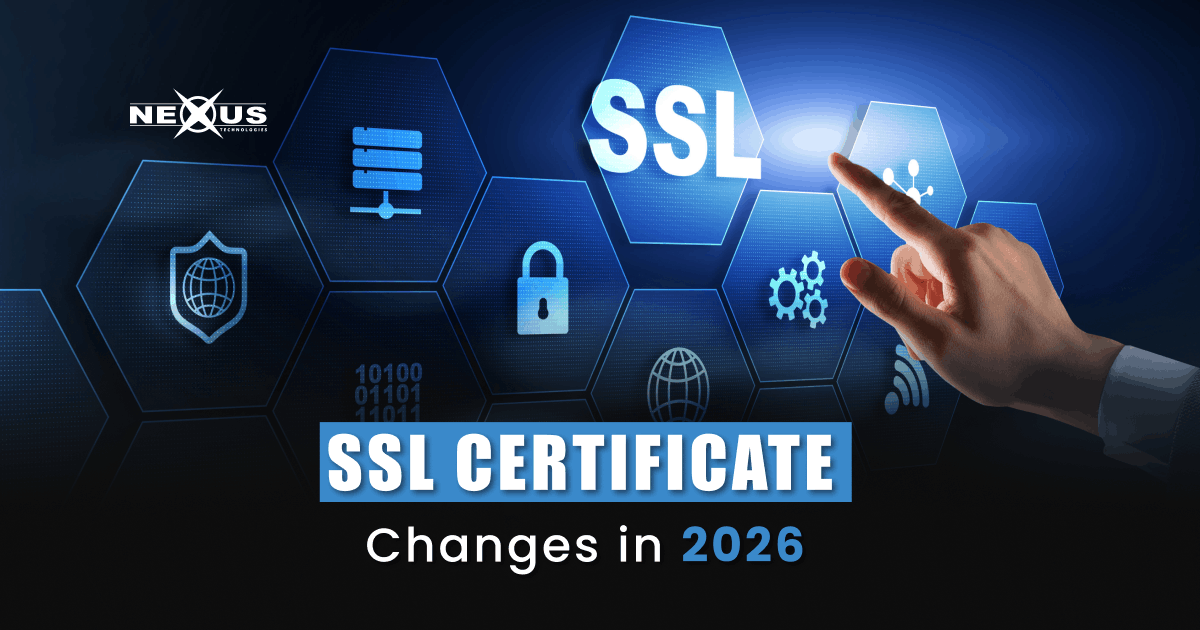
If you own a website in Pakistan and you have not heard about the SSL certificate changes that took effect in March 2026, you need to read this right now. The global internet authority that governs how SSL and TLS certificates work has completely rewritten the rules, and the deadline has already passed. Certificates that used to last a full year now expire much faster. The renewal process that most website owners handled once a year is becoming something you either automate or you lose. Pakistani businesses, e-commerce stores, corporate portals, and even small personal websites are all affected. This is not a minor update; it is one of the biggest shifts in web security in the last decade, and ignoring it will get your site flagged as insecure.
- As of March 15, 2026, the maximum SSL certificate validity dropped from 398 days to 200 days.
- By March 2027, it drops further to 100 days. By March 2029, certificates will only last 47 days.
- Manual SSL renewal is no longer a sustainable strategy for any website.
- Certificates issued before March 15, 2026 remain valid until their original expiry date.
- Domain validation information can now only be reused for 200 days, down from 398.
- Automated certificate management through tools like ACME protocol is now a necessity.
- Nexus Technologies handles SSL renewal for hosted clients automatically, protecting your site without manual work.
Why the SSL Rules Changed in 2026
The CA/Browser Forum, which is the industry body made up of certificate authorities, browser makers, and security organizations, voted unanimously in April 2025 to begin phasing down SSL certificate lifetimes. The ballot, originally proposed by Apple and endorsed by major players including Google and Sectigo, passed with 29 votes in favor and zero against.
The core reason is security. When a certificate lives for 398 days, it also means that if the private key behind that certificate gets compromised, an attacker can potentially exploit that vulnerability for over a year before the certificate rotates out. Shorter lifetimes force faster rotation, which shrinks that window dramatically.
There is also a technical readiness argument. The internet is heading toward post-quantum cryptography, which means encryption algorithms themselves will need to be replaced eventually. Shorter certificate cycles build the infrastructure and habits needed for that future shift. If organizations never learn to renew quickly, swapping out entire cryptographic algorithms on demand will be impossible.
For years, SSL management was a once-a-year calendar reminder. That era is over.
The Exact Timeline of SSL Certificate Changes
Understanding the phased rollout is important so you know what applies to your website today versus what is coming.
Phase 1: March 15, 2026 (Already in Effect)
This is where we are right now. Any new SSL certificate issued after March 15, 2026 has a maximum validity of 200 days. Domain validation information, meaning the proof that you own your domain, can also only be reused for 200 days before it needs to be re-verified. If you renewed or purchased a certificate before this date, your old certificate remains valid until it naturally expires, even if that date is beyond the new limit. The moment you issue a new one, the 200-day cap applies.
Phase 2: March 15, 2027
The limit cuts in half again to 100 days. At this point, you are renewing your SSL certificate roughly every three months. Anyone still doing this manually at this stage is setting themselves up for outages.
Phase 3: March 15, 2029
The final target is 47 days. Certificates will expire approximately every six to seven weeks. Domain validation information reusability also drops to just 10 days at this stage, meaning the domain ownership check itself must be repeated constantly. Manual renewal at this frequency is practically impossible for most businesses.
What This Means for Pakistani Website Owners Specifically
Pakistan’s digital economy has grown fast. Thousands of businesses run their operations through websites hosted locally and internationally. E-commerce stores, travel portals, educational institutions, fintech platforms, and government services all depend on active SSL certificates to function. A lapsed certificate does not just show a warning in the browser; it actively drives visitors away. Modern browsers show a full-screen warning page before letting anyone proceed.
Here is the practical reality for Pakistani site owners:
If you are on shared hosting with manual SSL management, you probably renewed once a year, maybe set a calendar reminder, and forgot about it. That workflow breaks at 200 days and becomes untenable at 47 days. If your hosting provider does not auto-renew certificates, you need to either switch to one that does or set up an automation protocol like ACME yourself.
If you are running an e-commerce store, an expired certificate is not just an inconvenience. It kills transactions. No customer in Pakistan or anywhere else will enter their payment details on a site with a security warning. The loss in revenue during even a few hours of certificate expiry can outpace months of marketing spend.
If you rely on a developer or IT person to handle renewals manually, ask them today what their plan is for 200-day renewals. If they say they will just set more reminders, that needs to change before the 2027 phase kicks in.
For websites hosted with Nexus Technologies, the free SSL certificates included with hosting plans are issued and managed through cPanel’s automated systems. This means renewal happens without you needing to log in, generate a CSR, or contact support. The certificate rotates before expiry as part of the hosting infrastructure.
How to Check If Your Website Is Affected Right Now
Before anything else, check your current certificate. You can do this in about thirty seconds.
Step 1: Look at Your Browser
Visit your website. Click the padlock icon in the address bar. Look for the certificate expiry date. If it shows an expiration date more than 200 days from today, that certificate was issued before March 15, 2026 and will eventually need renewal under the new rules.
Step 2: Check Your Hosting Panel
If your site is hosted on cPanel (which is standard with Nexus cheap web hosting packages), navigate to the SSL/TLS section. You can see your active certificates, their expiry dates, and whether AutoSSL is enabled. If AutoSSL is turned on, you are covered for the free Let’s Encrypt certificates cPanel manages automatically.
Step 3: Contact Your SSL Provider
If you purchased a commercial SSL certificate separately (Comodo, RapidSSL, AlphaSSL, Symantec, or others), log into your provider’s dashboard. Check whether they have automatic renewal enabled and whether they have updated their systems to comply with the 200-day limit.
Nexus offers SSL certificates from seven major certificate authorities including Comodo, RapidSSL, AlphaSSL, and Symantec, with quick issuance and assisted installation. If you are unsure whether your current certificate is from a compliant provider, their support team can verify this for you.
The Case for Automation: Why Manual Renewal Is a Risk You Cannot Afford
Let’s Encrypt, the world’s largest certificate authority and the one most commonly used with free hosting SSL, quietly discontinued expiration reminder emails in early 2026. That means the backup notification system that many site owners relied on for years is gone. No reminder email, no manual renewal, your site goes down.
In the 47-day era coming in 2029, you would need to manually prove domain ownership and install a certificate every six to seven weeks. That is eight times per year for every domain you manage. If you have subdomains, a staging environment, or multiple websites, the workload compounds fast.
The ACME protocol, which stands for Automated Certificate Management Environment, is the standard approach for automation. It is what Let’s Encrypt uses and what cPanel’s AutoSSL is built on. Your hosting environment needs to support it. Modern hosting providers, including those using cPanel or Plesk with updated configurations, handle this in the background.
For businesses running dedicated servers or VPS environments, this is the time to audit your certificate management setup. Nexus offers both Cloud VPS hosting and Pakistan-based dedicated servers, and if you are managing SSL manually on any of those, the 2026 changes are your signal to move to an automated lifecycle management approach.
Types of SSL Certificates and How Each Is Affected
Not every SSL certificate works the same way, and the new rules affect them differently.
Domain Validation (DV) Certificates
These are the most common type and the ones included free with most hosting plans. They verify only that you control the domain, not who you are as an organization. DV certificates are fully affected by the new 200-day maximum.
Organization Validation (OV) Certificates
OV certificates verify your organization’s identity and are often used by businesses and corporate sites. They are also affected by the 200-day limit. Additionally, the Subject Identity Information (SII), meaning your organization name, address, and other details, can now only be reused for 398 days, down from 825 days previously. This means your business details need to be re-verified more frequently.
Extended Validation (EV) Certificates
EV certificates, which show the organization name in the browser and are used by banks and major financial platforms, follow the same validity limits. If you are running an e-commerce or fintech site and using an EV certificate from a provider like Comodo/Sectigo through Nexus, your renewal cycle is now capped at 200 days.
Wildcard and Multi-Domain (SAN) Certificates
These cover multiple subdomains or multiple domains under a single certificate. They are fully affected by the new validity rules. If you are running a wildcard certificate across a main domain and ten subdomains, all of them expire together at the 200-day mark.
Practical Steps to Take This Month
The changes are already in effect. Here is what to actually do.
Audit your certificates. List every domain and subdomain you manage. Note each certificate’s issuer, type, and expiry date. This is your baseline.
Enable AutoSSL on your cPanel hosting. If you are on Nexus shared hosting or PK hosting, log into cPanel and confirm AutoSSL is active. This handles free DV certificates automatically.
Switch to a managed certificate service for commercial SSLs. If you are paying for an OV or EV certificate separately, confirm with your provider that they have an automated renewal system in place. Most major CAs now offer subscription-based management where the certificate swaps out in the background.
Set monitoring regardless of automation. Even if AutoSSL is running, third-party SSL monitoring tools can alert you if a renewal fails. Automation can break. Having a backup alert ensures you find out before your visitors do.
Talk to your hosting provider. If you are on a hosting plan that does not include automated SSL management, this is a good time to evaluate whether your current provider is prepared for the shorter certificate cycles ahead. Nexus cheap web hosting plans includes free SSL with cPanel-based automation across its plans.
How Nexus Handles SSL Renewals for Its Customers
Nexus Technologies has been operating since 1998 and manages hosting for thousands of Pakistani businesses, institutions, and government entities. All hosting plans include free SSL certificates that are automatically renewed through cPanel’s AutoSSL. The infrastructure is already aligned with the 200-day standard.
For businesses needing commercial-grade certificates, Nexus is the first company in Pakistan to offer SSL certificates from seven major certificate authorities under one roof. Whether you need a basic Comodo DV certificate for a startup, a wildcard certificate covering multiple subdomains, or an EV certificate for a financial platform, the certificates are available with fast issuance and installation support.
If you are currently managing SSL manually on a VPS or dedicated server hosted with Nexus, now is the right time to speak with their support team about moving to an automated management setup before the 2027 phase brings 100-day limits.
FAQs
Does the 200-day limit affect my existing certificate?
No. Any certificate issued before March 15, 2026 remains valid until its original expiry date. The 200-day cap applies to any new certificate issued on or after that date.
Will I be charged more for SSL certificates because of more frequent renewals?
Not necessarily. Most certificate authorities have moved to subscription-based pricing. You typically pay annually, and the technical certificate renews automatically in the background every 200 days or less. You should confirm this with your CA or hosting provider.
Does this affect internal certificates used for private networks?
No. These rules only apply to publicly trusted certificates issued by public certificate authorities. Internal PKI certificates for private networks, intranets, or development environments are not governed by the CA/Browser Forum’s rules.
What happens if my SSL certificate expires?
Browsers immediately show a full-screen warning to visitors before they can access your site. Most users will leave. Your site’s SEO rankings can drop. Any transactions or form submissions will be blocked. The impact is immediate and measurable.
Is Let's Encrypt still free and still valid?
Yes. Let’s Encrypt certificates are still free and fully trusted. They now come with a maximum validity of 90 days (they have always been shorter than the annual limit) and should be renewed automatically through your hosting environment’s AutoSSL or your own ACME client.
What is the ACME protocol and do I need to set it up myself?
ACME is the automation protocol used to request, verify, and install SSL certificates without manual steps. If you are on a managed hosting plan with AutoSSL enabled in cPanel, your provider handles ACME for you. If you manage your own server, you need to configure a client like Certbot to handle this.
Does this affect my .pk domain specifically?
The SSL certificate rules apply universally based on the certificate type, not the domain extension. A .pk, .com.pk, or .com domain all need to follow the same 200-day certificate rules as of March 2026.
Final Thoughts
The SSL changes in 2026 are not a distant technical concern. They are already active. Every new certificate issued right now expires in 200 days or fewer. By 2029, the cycle shortens to 47 days and manual management becomes functionally impossible for most website owners.
The good news is that the solution is not complicated. Automated renewal through your hosting provider handles the bulk of this for you. The work is in auditing what you have, confirming your systems are properly configured, and making sure you are not relying on manual workflows that will fail at the worst possible time.
For Pakistani website owners, the path forward is clear: confirm your SSL automation is active, check your certificates today, and if your hosting environment does not support automated renewal, consider switching to a provider that does before the 200-day certificates start expiring and the tighter 2027 rules arrive.
Need help securing your website with automated SSL management? Explore Nexus SSL Certificates and cheap web hosting plans that include free SSL with automatic renewal.